top of page
DANIEL BELLIDO


Screen Space Ambient Occlusion
After implementing directional shadow mapping and improving shadow controls in the editor, the nextstep was to add another important lighting feature to the engine: Screen Space Ambient Occlusion. The goal of this update was to improve contact shadows and depth perception in the scene by darkening small creases, intersections and areas where geometry is close together. Unlike shadow mapping, SSAO is not generated from a light source. Instead, it works in screen spaceusing the

Daniel Bellido Chueco
Jun 223 min read


Shadow Mapping II: PCF and Per-Light ShadowSettings
After implementing the first version of directional shadow mapping in our custom DX12 engine, the next step was to improve how shadows are controlled and filtered. The first implementation gave us working hard shadows for directional lights, including support forstatic and skinned mesh shadow casters. However, the system was still very rigid: shadow settings werehardcoded in the renderer, and every directional light was treated in the same way. For this second iteration, I fo
Daniel Bellido Chueco
Jun 223 min read


Shadow Mapping I
One of the rendering milestones we tackled in the engine was implementing the first version of real-time shadows using shadow mapping. At this stage, the goal was not to build an advanced shadow system with cascades, soft shadows, or complex filtering. The objective was much more focused: get the engine to render a shadow map from a directional light, use it during the lighting pass, and produce hard shadows in the scene. In other words: build the foundation first. What we wa
Daniel Bellido Chueco
Jun 126 min read

Enemy Behaviour with StateMachineScript
After implementing the animation state machine and per-state behaviour scripts, the next step is defining a clear workflow for building enemies on top of this system. This post explains the intended pattern for implementing enemy behaviour so that all gameplay code follows the same structure. Overview Enemy behaviour is built using three main pieces: StateMachineScript (per state) EnemyController (shared logic) Animation State Machine (transitions & flow) Each one has a clear
Daniel Bellido Chueco
Apr 253 min read


Scripting: StateMachineScript
After exposing the animation system to gameplay through AnimationAPI, the next step in my engine was introducing a way to attach behaviour directly to animation states. At that point, gameplay scripts could already trigger transitions, query the active state and control playback. However, all behaviour still had to be written in external scripts, usually centralized in a single controller. That quickly became hard to scale, especially when dealing with multiple states and tra
Daniel Bellido Chueco
Apr 243 min read


Scripting: AnimationAPI
After building the visual state machine editor, the next step in my engine was exposing that runtime animation system to gameplay scripts. At that point, the engine could already load animation state machines, evaluate transitions, react to triggers, and blend correctly at runtime. That made the system usable from the animation side, but gameplay code still had no clean way to interact with it. Scripts needed a proper runtime API layer so they could trigger transitions, query
Daniel Bellido Chueco
Apr 244 min read


State Machine Node Graph Editor
After getting the animation state machine working at runtime, the next step in my engine was improving the editor workflow around it. At that point, the engine could already load an animation state machine resource, start from a default state, react to triggers, and blend transitions at runtime. That was enough to validate the system technically, but editing the resource through inspector fields alone was still too limited and not very comfortable once the number of states an
Daniel Bellido Chueco
Apr 244 min read

Animation State Machine
After building animation playback and skinning, the next step in my engine was moving from “playing a single clip” to actually controlling animation flow through a state machine. In the previous stages, the engine could already import animation clips from glTF, reproduce them at runtime, and deform the character correctly through skinning. That was enough for isolated playback, but not for real gameplay logic. Characters do not just play one animation forever: they need to sw
Daniel Bellido Chueco
Apr 244 min read


Animation II - Skinning
After completing basic runtime playback for glTF animations, the next milestone in my engine was skinning. In the previous phase, I could already import animation clips, play them back at runtime, and apply them correctly to the node hierarchy. The skeleton moved as expected, but the mesh itself still stayed frozen in its bind pose. This task was about solving that missing step: deforming the mesh according to the animated skeleton. What I wanted to achieve The goal was to ma
Daniel Bellido Chueco
Apr 243 min read
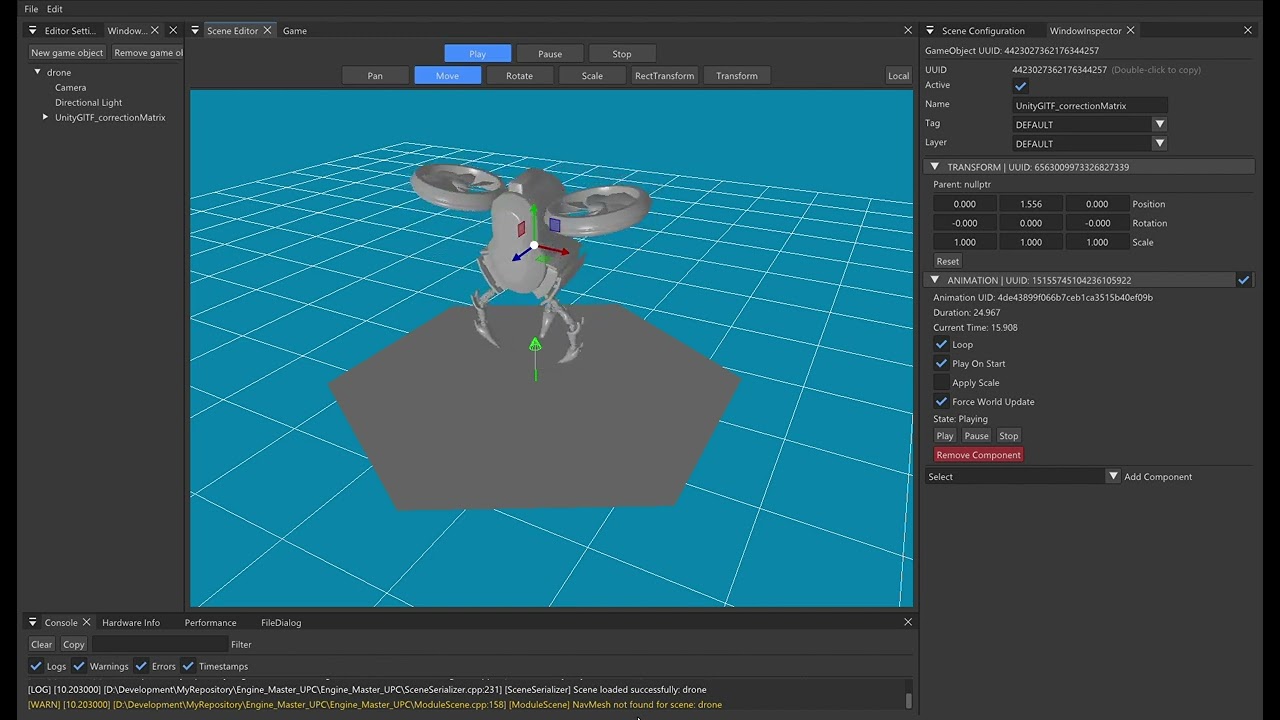
Animation I - Runtime Playback
One of the first animation milestones I tackled in my engine was building a basic runtime playback system for glTF models. At this stage, the goal was not skinning yet. The idea was to get the engine to the point where it could import animation clips, play them back in real time, and apply them correctly to a model hierarchy. In other words: make the joints move properly before worrying about deforming the mesh itself. What I wanted to achieve The task was focused on setting
Daniel Bellido Chueco
Apr 244 min read

Navmesh 1.0 - NavMesh Integration (Recast & Detour)
One of the biggest AI movement milestones I tackled in my engine was integrating Recast & Detour and building a full workflow around offline-baked navigation meshes, debug visualization, path queries, and NavMesh-constrained movement. At this stage, the goal was not crowd simulation, dynamic obstacles, or fancy steering. The point was to get the engine to the stage where it could: build a NavMesh from scene geometry, save it as an engine resource, load it per scene, query pat
Daniel Bellido Chueco
Apr 244 min read
Daniel Bellido Chueco
Apr 80 min read
bottom of page