Setting Up the Vulkan Backend

Validation Layers, GPU selection, Queue Families and Logical Device creation
Welcome to the second STAGE VK development post.
It has been a while since I started this project, and for academic, professional, and personal reasons I did not have the chance to share any updates. However, the idea of continuing to build my own game engine with Vulkan has always stayed in the back of my mind.
When I started STAGE VK, I thought I would probably have a triangle on screen by this point. Instead, one of the first things I discovered is just how explicit Vulkan really is. Several operations that are handled differently or require less setup in DirectX 12 need to be described and configured manually in Vulkan.
Before rendering anything, the engine first needs a proper Vulkan environment: validation support, GPU selection, queue discovery, and a logical device through which the application can communicate with the selected GPU.
In this post, I will go through the main steps I added to BackendVKModule to reach that point.
Adding Validation Layers for Debugging
Vulkan deliberately avoids extensive runtime validation as part of the core API. Performing all those checks would introduce additional overhead, which is something we normally do not want in a shipping build.
During development, however, Vulkan Validation Layers can inspect API usage and report problems such as invalid parameters, incorrect object usage, synchronization issues, and other common mistakes.
For STAGE VK, I use the standard Khronos validation layer, VK_LAYER_KHRONOS_validation.
Validation is enabled only in Debug builds and disabled in Release builds. Before requesting it, the engine also checks whether the validation layer is actually available on the system.
This provides an important safety net while developing and learning Vulkan without adding unnecessary validation overhead to the Release version of the engine.
Understanding CreateInstance()
Creating a Vulkan instance is one of the first important initialization steps.
One of the concepts I found important to understand is that structures such as VkApplicationInfo and VkInstanceCreateInfo do not create Vulkan objects themselves. Instead, they describe what Vulkan should create and how it should be configured.
VkApplicationInfo contains information about the application, the engine, their versions, and the Vulkan API version that STAGE VK intends to use.
VkInstanceCreateInfo gathers the configuration required to create the Vulkan instance, including the application information, required extensions, and optional validation layers.
The actual instance is then created through vkCreateInstance(), which returns the VkInstance handle used by the engine.
This “describe first, create second” approach appears repeatedly throughout Vulkan, so understanding it here makes later concepts such as devices, swapchains, pipelines, and images much easier to follow.
Required Instance Extensions
STAGE VK uses GLFW for window management.
GLFW knows which platform-specific Vulkan extensions are required to create a surface for the current operating system. Instead of hardcoding those extensions, the backend asks GLFW for the required list and passes it to Vulkan when creating the instance.
This keeps the Vulkan initialization independent from the details of the underlying windowing platform.
That is the purpose of GetRequiredExtensions().
When validation is enabled, STAGE VK also adds the VK_EXT_debug_utils extension, which is required by the debugging system used in the next step.
Debug Messenger
Enabling Validation Layers is only part of the debugging setup. STAGE VK also creates a Vulkan Debug Messenger so that validation messages can actually be received and reported by the engine.
The Debug Messenger is provided through the VK_EXT_debug_utils extension.
A VkDebugUtilsMessengerEXT is configured to receive warnings and errors related to general Vulkan usage, validation problems, and performance issues.
Whenever Vulkan generates one of these messages, it calls the engine's DebugCallback(), which currently reports the message to the console.
The Debug Messenger is only created when Validation Layers are enabled, so Release builds do not use it.
Its lifetime also depends on the VkInstance. This means that it must be created after the Vulkan instance exists and destroyed before the instance itself is released.
At this point, STAGE VK has a basic debugging system capable of reporting Vulkan API misuse before any actual rendering work begins.
Selecting a Physical Device
After creating the Vulkan instance and window surface, the next step is selecting the GPU that the engine will use.
In Vulkan, a VkPhysicalDevice represents a physical GPU available on the system.
The engine first queries how many Vulkan-compatible physical devices are available and then retrieves the actual list of VkPhysicalDevice handles.
Each device can be inspected through information exposed by Vulkan, including its properties and supported features. This allows the engine to evaluate whether a particular GPU satisfies its requirements.
STAGE VK performs this evaluation through IsDeviceSuitable() and stores the first physical device that meets the current requirements.
At this stage, the selected VkPhysicalDevice only represents the GPU itself. The logical device (VkDevice), which will later act as the engine's interface to that GPU, has not been created yet.
Coming from DirectX 12, I found it useful to think of this step as being conceptually similar to selecting an IDXGIAdapter before creating the DirectX 12 device.

Queue Families
Before creating the logical device, Vulkan requires the engine to determine which queue families exposed by the selected GPU can perform the operations it needs.
A queue family represents a group of GPU queues that support a particular set of operations. These can include graphics, compute, transfer, or presentation operations.
At this point, STAGE VK needs two capabilities.
The Graphics Queue Family must support graphics commands such as drawing and rendering.
The Present Queue Family must be capable of presenting rendered images to the application's VkSurfaceKHR.
The engine queries the queue families available on the selected GPU and checks each one for the required capabilities. Graphics support is identified through VK_QUEUE_GRAPHICS_BIT, while presentation support is checked specifically against the current window surface.
An important detail is that graphics and presentation do not necessarily have to belong to the same queue family. On some GPUs, a single family may support both operations, while on others they may be provided by different families.
For this reason, STAGE VK stores both queue family indices independently.
A physical device is currently considered suitable only when both required queue families can be found.
At this point, the engine has only identified which queue families it needs. The actual VkQueue objects are obtained later, once the logical device has been created.
Logical Device and Queues
Once a suitable physical device has been selected and the required queue families have been identified, STAGE VK can create the logical device.
The VkDevice represents the engine's logical interface to the selected VkPhysicalDevice. While the physical device represents the GPU available in the machine, the logical device is the connection through which STAGE VK will perform most future Vulkan operations and create many of the resources required by the renderer.
During logical device creation, the engine specifies which queue families it intends to use.
If graphics and presentation are supported by the same queue family, that family only needs to be requested once. If they belong to different families, both must be requested.
Once the logical device has been created, STAGE VK retrieves the actual queue handles.
The engine currently stores two queues: the Graphics Queue, which will be used to submit graphics work to the GPU, and the Present Queue, which will be responsible for presenting rendered images to the application window.
Depending on the selected GPU, these queues may come from the same queue family or from different ones.
Conceptually, creating the logical device is similar to creating an ID3D12Device after selecting an adapter in DirectX 12, although Vulkan requires the queue configuration to be handled much more explicitly.
At this point, STAGE VK has selected a physical GPU, created a logical interface to it, and obtained the queues that will later be required for rendering and presentation.
Result
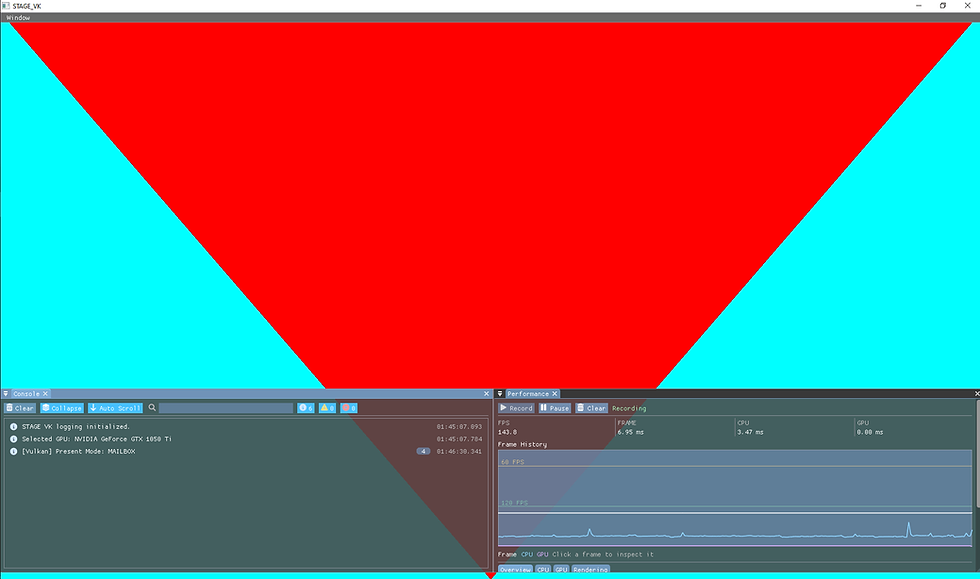
Visually, nothing has changed yet. STAGE VK still opens the same empty window from the first post.
Internally, however, the Vulkan backend is now in a much more useful state. The engine can initialize Vulkan with development-time validation, receive debugging messages, select a suitable GPU, discover the required queue families, create a logical device, and access the graphics and presentation queues.
This stage has also made one of Vulkan's defining characteristics much clearer to me: many concepts that initially appear to be a single operation are actually separated into several explicit steps.
The physical GPU, the logical device used by the application, and the queues through which work will eventually be submitted are all separate concepts that the engine must identify and configure.
There is still nothing being rendered, but STAGE VK now has the basic connection to the GPU that will make the next stages possible.


Comments